FurMark GPU Stress Test for Windows
FurMark is an intensive graphics card stress test and OpenGL/Vulkan benchmark developed by Geeks3D. Windows users run it to observe GPU temperature, cooling, clock behavior and stability under a sustained workload.
Use the test carefully: begin with a short supervised run, monitor the limits published for the exact graphics card, and stop for artifacts, driver resets, a black screen or abnormal temperature.
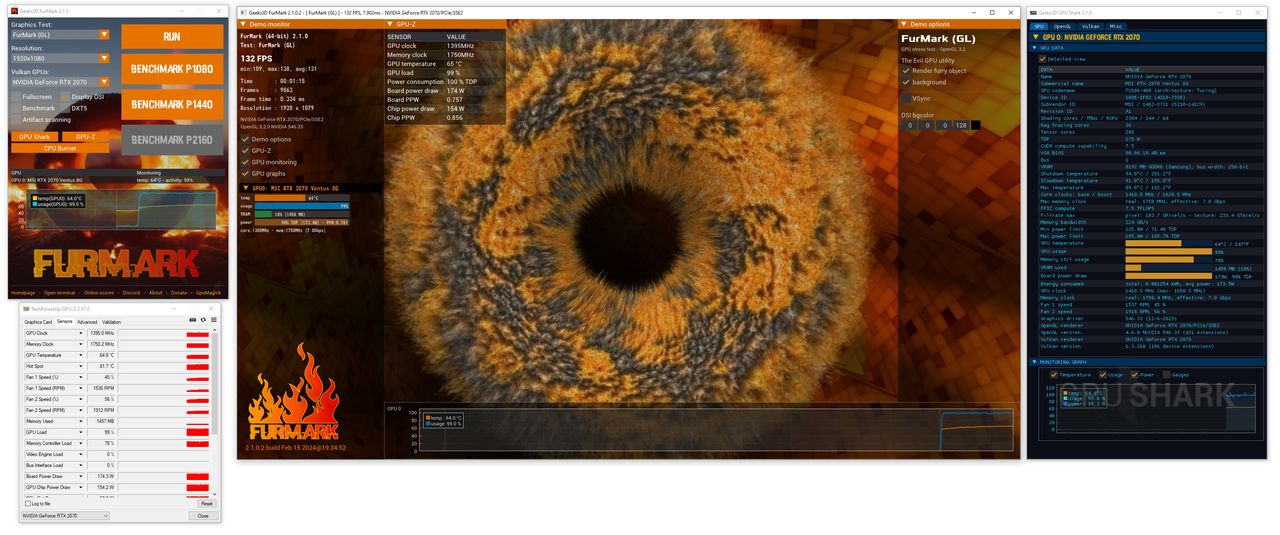
FurMark 2 and FurMark 1
FurMark 2 is the current generation with OpenGL and Vulkan benchmarking plus expanded command-line support. FurMark 1 remains useful for legacy comparisons. Results from different major versions, APIs, presets or resolutions should not be compared as though they were identical.
What FurMark Can Check
- GPU cooling response and temperature behavior
- Stability after a driver, cooler or graphics card change
- Visual artifacts and driver timeouts under sustained load
- Repeatable performance using the same benchmark preset
FurMark does not certify the entire PC and should be followed by the real games or applications that matter to you.
Start With the Right Guide
Download FurMark for Windows · How to use FurMark · Temperature and safety · Test duration · Benchmark results · Troubleshooting
Common FurMark Questions
Is FurMark safe?
It is generally safe on correctly cooled hardware when supervised, but its workload is intentionally demanding. Respect the limits for the exact GPU.
How long should a test run?
Start with a few minutes and wait for temperature to stabilize. Longer testing is useful only when the system remains within specification.
Does FurMark work with NVIDIA and AMD?
FurMark can load supported graphics adapters from major vendors. Driver, cooling and power behavior vary by model.